Running yex#
yex can be run as an application. But it's also a Python library. You can use it either way.
Running yex as an application#
You'll need to install it from source, if you haven't already.
You can run yex by typing yex filename.tex. For example, try making
yourself a file test.tex containing:
\shipout\hbox{The quick brown fox jumps over the lazy dog.}
Now run
yex test.tex
At present, yex outputs only to an SVG file called yex.svg, including
all the construction lines.
Open this file in some sort of graphics viewer, such as your web browser,
and you should see
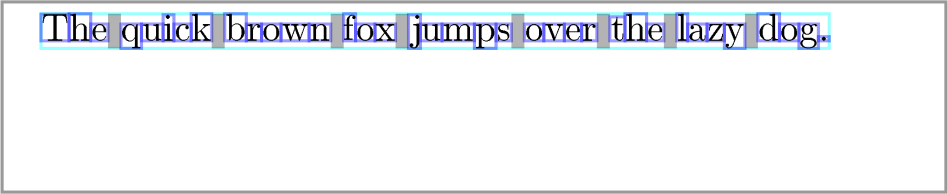
though you might have to zoom in a bit: 10pt text is quite small.
Running yex as a Python library#
Here's a simple example:
import yex

doc = yex.Document()
doc.read(r"""
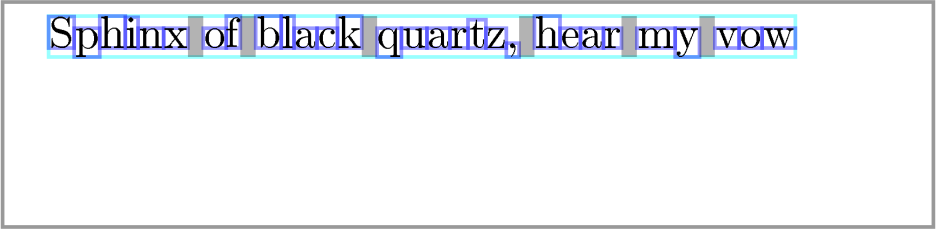
\shipout\hbox{Sphinx of black quartz, hear my vow}
""")

doc.save("sphinx.svg")
which should produce